
ClickForge
A precision auto clicker for Windows. No ads, every feature unlocked, free to use.
Latest version 0.1.0 for Windows 64-bit
Four tabs, everything in reach
The app is split into simple tabs so you only see what you need.
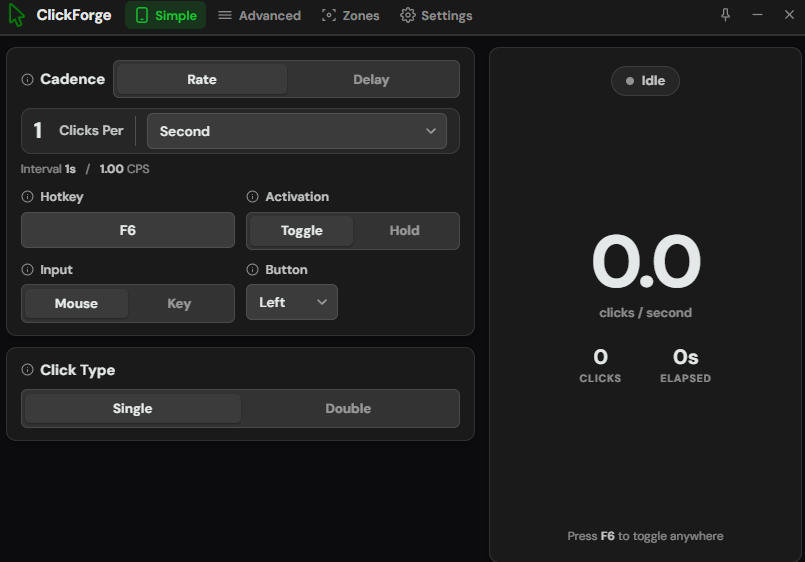
Start clicking in seconds
Set your rate, pick a button, choose a hotkey, and go. A big live readout on the right shows your real clicks per second, total clicks, and time running.
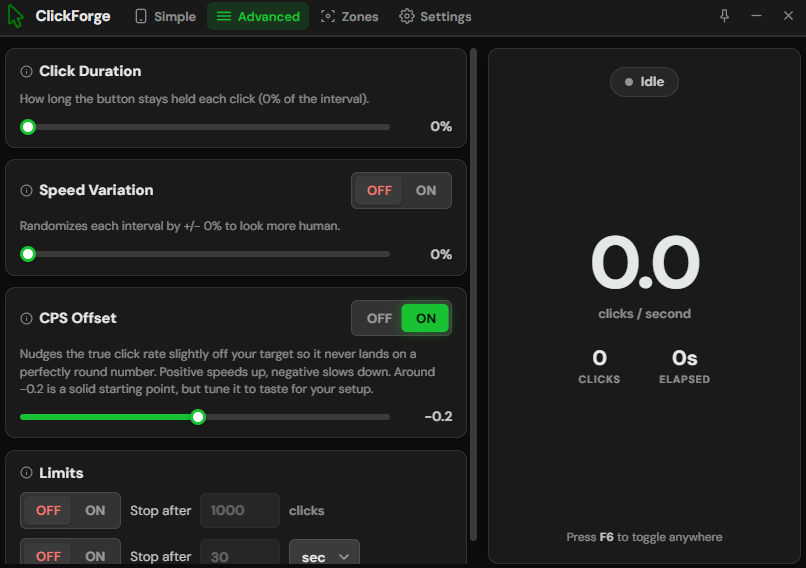
Fine tune every detail
Adjust how long each click is held, add speed variation to look more human, nudge the true rate off a round number, and set limits to stop after so many clicks or seconds.
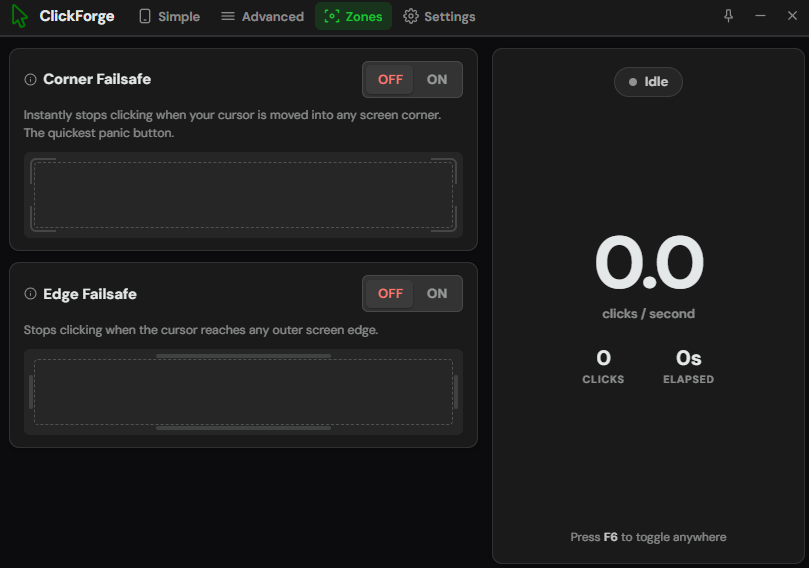
Stop the moment you need to
Turn on the corner failsafe to stop instantly when your cursor hits a screen corner, or the edge failsafe to stop at any outer edge. Your quick panic button.
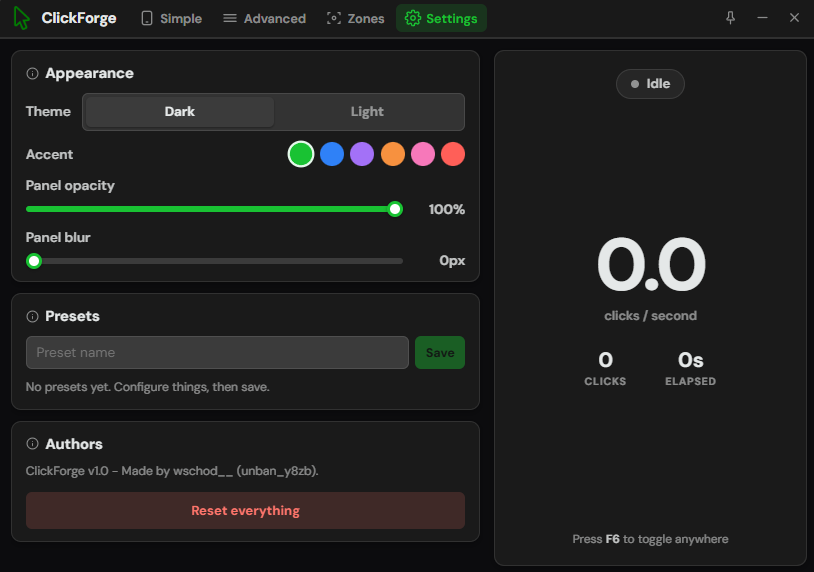
Make it look how you like
Switch between dark and light, pick from six accent colors, and adjust panel opacity and blur. Save your favorite setups as presets and load them back any time.
Every feature
A full list of what ClickForge can do.
Exact rate
Clicks land on a steady timeline with no drift. Set 10 per second and you get exactly 10.
Rate or delay
Type a clicks per second value, or switch to a raw delay in milliseconds between clicks.
Any time unit
Count by second, minute, hour, day, week, month, or year, whatever fits your task.
Real input
Sends genuine Windows mouse and key events, so games and apps register every click.
Global hotkey
Start and stop from anywhere with your own key. Default is F6.
Toggle or hold
Tap the hotkey to toggle on and off, or hold it down to click only while pressed.
Left, right, middle
Click with any mouse button, as a single click or a double click.
Keyboard mode
Auto press a keyboard key on repeat instead of a mouse button.
Click duration
Control how long the button stays held on each click, as a share of the interval.
Speed variation
Randomize each interval by a small amount so the timing feels less robotic.
CPS offset
Nudge the real rate slightly off your target so it never sits on a perfectly round number.
Limits
Stop automatically after a set number of clicks, or after a set amount of time.
Corner failsafe
Instantly stops clicking when your cursor moves into any screen corner.
Edge failsafe
Stops clicking the moment your cursor reaches any outer screen edge.
Live stats
Watch your click count, real clicks per second, and elapsed time as it runs.
Dark and light
Pick the theme that suits you, plus six accent colors to set the mood.
Opacity and blur
Fade the panel and add background blur to fit it neatly over whatever you are doing.
Presets
Save your favorite setups by name and load them back with one click.
Common questions
The things people ask most.
Is it free?
Yes. ClickForge is free to download and use. No ads, no account, nothing locked away.
Is it safe?
It is a clean app. Windows may show a SmartScreen warning on newer downloads, which is normal. Just click More info, then Run anyway.
What do I need to run it?
A Windows 10 or 11 PC on 64-bit. Download the installer, open it, and you are set.
How fast can it click?
Plenty fast, and the rate stays exact. Keep in mind most games only pick up around 60 clicks per second on their end.
Will it get me banned?
It can't promise anything there. Only use it in software where automated input is allowed.
Get ClickForge
Free download for Windows. No account needed.
Version 0.1.0 for Windows 64-bit